Quick answer: To advertise on Roku, choose Roku Ads Manager for self-service campaigns, work directly with Roku for managed and custom placements, or activate Roku inventory through a programmatic partner and Roku Exchange. OneView technology still contributes to Roku's ad stack, but Roku no longer treats OneView as the exclusive DSP route. Programmatic buyers can use supported third-party platforms and may access inventory through open auction, private marketplace or other negotiated deals. Confirm the market, inventory, seller, deal type, targeting, creative specifications and measurement rights before launch.
Roku advertising access at a glance
Buying route | Best fit | Main advantage | What to verify
|
|---|---|---|---|
Roku Ads Manager | Teams that want a self-service CTV workflow | Fast setup, Roku optimization, standard video and Action Ads | US availability, $500 starting budget, English creative, placement mix and event setup |
Direct or managed Roku buy | Larger plans, custom formats, sponsorships and Home Screen presence | Access to premium products, planning support and negotiated measurement | Minimum commitment, exact inventory, lead time, cancellation and reporting detail |
Programmatic through Roku Exchange | Brands and agencies that want DSP control and consolidated buying | Preferred DSP workflow, deal-based access and programmatic optimization | Seller, DSP, exchange path, deal type, fees, supply, audience rights and forecast |
Agency-managed access | Teams without the required platform seat or CTV operations | Route comparison, deal sourcing, setup, creative QA and measurement coordination | Account ownership, transparent fees, inventory proof, optimization rights and data access |
What does it mean to advertise on Roku?
Roku advertising can refer to several different environments. A campaign may run inside The Roku Channel, across other ad-supported streaming apps available through Roku's network, on the Roku Home Screen, or through a custom destination or interactive experience.
These are not interchangeable. Buying “Roku inventory” does not automatically mean every impression will appear in The Roku Channel. It also does not guarantee a named third-party app. Roku Ads Manager states that campaigns can use automatic placement, Roku-only placement or other streaming apps, but it does not guarantee delivery on a specific app or channel.
Start with the required environment. Decide whether the goal is premium in-stream video, broad Roku household reach, a Home Screen presence, a specific content context or a measurable action. Then select the route that can prove access to that inventory.
Option 1: Roku Ads Manager for self-service campaigns
Roku Ads Manager is Roku's self-service platform for building, buying, measuring and optimizing streaming TV campaigns. Roku currently positions it for US campaigns, with a starting budget of $500. Campaigns can optimize for awareness or conversion and use Roku's event system for actions such as page views, sign-ups, subscriptions, app installs, add-to-cart events and purchases.
Ads Manager is the most direct entry point for teams that want hands-on campaign control without negotiating a custom media agreement. The setup includes objective, audience, placement, budget, schedule, event tracking and creative.
Current platform notes matter:
Ads Manager runs non-skippable CTV video campaigns in the US.
English is currently the supported creative language.
Video assets can be 6-92 seconds when they meet the published technical requirements.
Automatic placement can include The Roku Channel and eligible third-party streaming apps.
Action Ads add an interactive overlay and text-message flow when eligible impressions run on The Roku Channel.
Self-service does not remove the need for planning. A $500 entry point is a platform minimum, not proof that a national campaign has enough budget to build reach, control frequency and produce reliable measurement.
Option 2: buy directly from Roku
A direct or managed Roku buy is relevant when the plan needs more than standard self-service video. Roku's sales team can support custom planning, premium Home Screen formats, branded destinations, sponsorships, interactive products and negotiated measurement.
Direct access can include products such as Marquee Ads, Themes, Roku City integrations, Brand Showcase destinations, pause ads and action-based formats. Product availability, turnaround and buying method vary. For example, Roku lists a 4-5 week turnaround for Marquee Ads and longer lead times for some custom Home Screen executions.
Ask the seller to separate each part of the proposal:
Roku-owned inventory versus third-party publisher inventory
Home Screen, in-stream, destination and interactive placements
Guaranteed and non-guaranteed delivery
Audience data and content controls
Creative production and review responsibilities
Reporting level, measurement partners and data access
A direct package can be the right route for a high-impact launch. It should still be compared with programmatic and self-service options on reach, control, fees and measurement.
Option 3: programmatic access through Roku Exchange
Roku Exchange is Roku's supply-side technology for connecting Roku media with the programmatic ecosystem. Roku's current programmatic materials say advertisers can transact directly or through the ad-buying platform of their choice, subject to supported integrations and deal availability.
A programmatic plan may use:
Open auction: biddable inventory available without a private deal, where supported.
Private marketplace: invitation-based inventory activated with a Deal ID and negotiated rules.
Preferred deal: non-guaranteed access at an agreed price or priority.
Programmatic guaranteed: reserved delivery with agreed volume, price and flight.
Roku Curate: a package that combines Roku data and media and can be activated directly or sent to a preferred DSP.
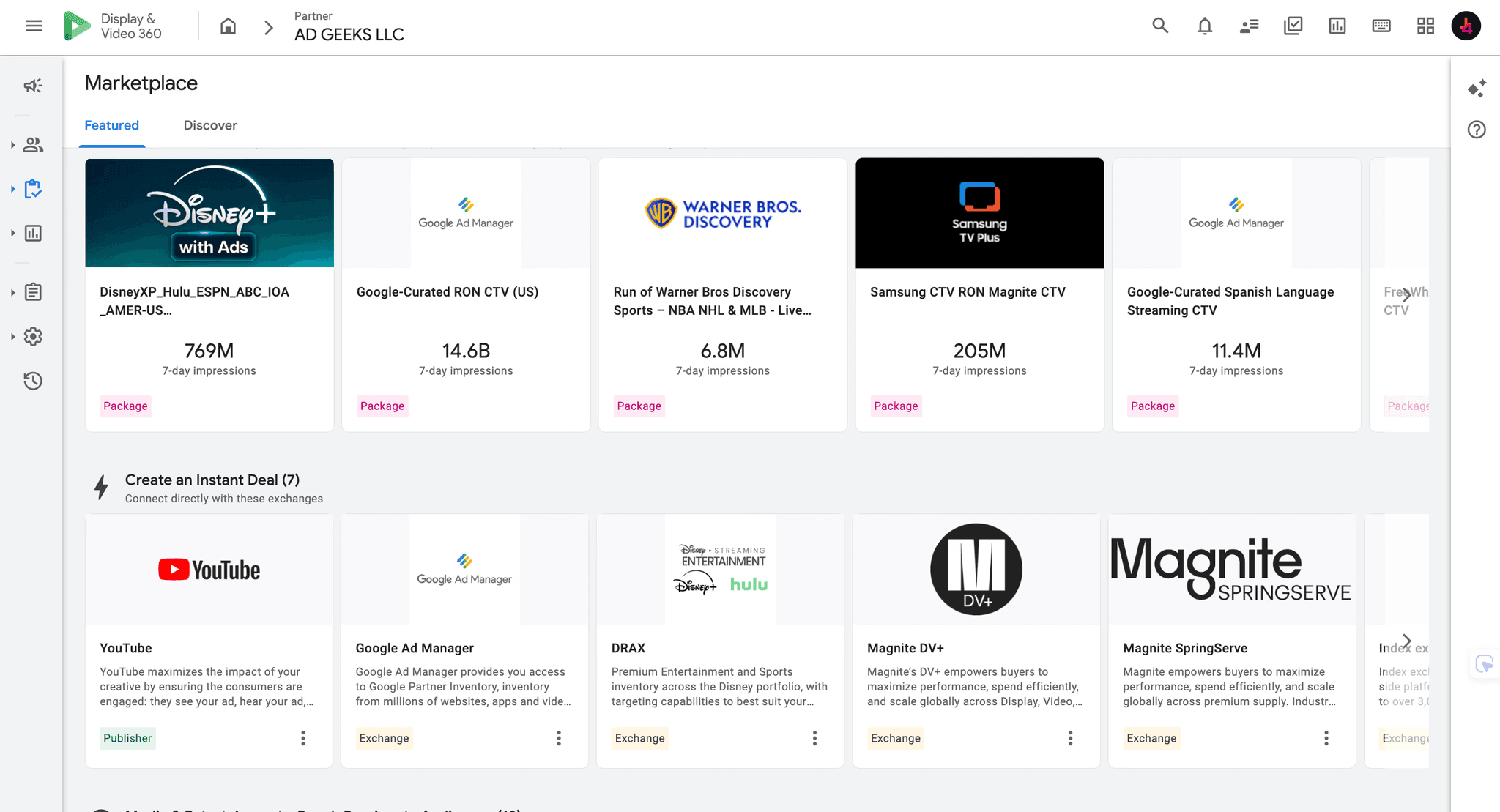
The exact options depend on the DSP, market, seller relationship and campaign. Roku's programmatic partner page currently highlights integrations across the broader ecosystem, including Display & Video 360 and other demand and supply partners.
If your team uses DV360, confirm the inventory source or deal inside the correct partner account. The AdGeeks DV360 service and DV360 access guide explain the account and deal workflow.
What happened to Roku OneView?
OneView is still relevant, but it should not be presented as the only current route to Roku inventory. Roku leadership explained in its February 2026 earnings call that OneView technology remains integrated across the platform and contributes to products such as Roku Ads Manager. The strategy changed: Roku moved away from using OneView as the exclusive DSP and expanded integrations with third-party buying platforms.
That creates a simple rule for current planning. If a proposal or article says “use OneView,” ask what it means operationally today:
Is the buyer using a legacy OneView workflow?
Is the campaign actually running through Roku Ads Manager?
Is inventory being bought through Roku Exchange in another DSP?
Does the plan use a direct Roku agreement or a Deal ID?
Which account owns the campaign, data and reporting?
Do not choose a route because the OneView name appears in an old case study or vendor page. Choose based on live access, inventory proof, commercial terms and measurement.
How to evaluate a Roku PMP deal
A private marketplace deal can simplify access to selected Roku media, but a Deal ID alone is not enough. Review the complete supply path before launch.
Confirm the seller. Identify Roku, the exchange and any reseller or intermediary.
Name the inventory. Separate The Roku Channel, Roku-owned experiences and third-party streaming apps.
Check the deal type. Record whether it is a private auction, preferred deal or programmatic guaranteed.
Review price and fees. Document the floor or fixed CPM, platform fees, data fees and agency costs.
Forecast the real setup. Use the final market, dates, audience, device, frequency cap and creative duration.
Check data rights. Confirm which Roku, advertiser and third-party audiences can be used.
Validate creative rules. Match the deal's accepted lengths, codecs, tracking and approval path.
Define measurement. Agree on reporting fields, identity, attribution windows, lift studies and log-level access.
Supply should be as transparent as the media plan. If the seller cannot explain where the ad runs, how the deal reaches the publisher and which fees apply, pause before activation.
Where can Roku ads appear?
Roku offers both in-stream and operating-system-level placements. The main environments include:
The Roku Channel: Roku's owned streaming service with on-demand and live content.
Other streaming apps: a dynamic network of eligible ad-supported apps.
Roku Home Screen: native placements such as Marquee Ads and Themes.
Roku City and destinations: custom discovery environments, showrooms and branded experiences.
In-stream video: pre-roll and mid-roll placements in professionally produced content.
Roku Ads Manager's automatic placement is designed to optimize across available first-party and third-party inventory. Choose Roku-only when The Roku Channel is essential. Choose other streaming apps when broader network reach is the priority. Neither choice proves delivery to a named third-party app.
Compare Roku with the wider market using the premium CTV inventory map.
Roku ad formats
Standard video
Standard video is the core CTV format. It runs in full-screen, non-skippable streaming environments and can be activated through Ads Manager, direct buying or programmatic routes.
Action Ads
Action Ads add an interactive overlay to a video. Viewers can press OK on the Roku remote and receive a text message with more information. The overlay is eligible on The Roku Channel, while the same creative can run as standard video in other streaming apps.
Pause ads
Pause ads appear when a viewer pauses content. They create a visible moment without interrupting playback. Availability depends on the product and buying route.
Marquee Ads and Home Screen formats
Marquee Ads occupy a prominent area of the Roku Home Screen. Themes can transform the surrounding interface, while Spotlight and other native products support discovery. These formats can be sold standalone, in packages or through selected buying routes.
Roku City and branded destinations
Roku City integrations and Brand Showcase experiences give brands a deeper presence inside the Roku discovery journey. They require more planning, production and lead time than standard video.
Targeting options
Targeting depends on the route, available data and privacy rules. Common controls can include:
Geography and market
Age, household and interest segments
Viewing behavior and content signals
Advertiser first-party audiences
Retail and commerce audiences through eligible partners
Device, placement and content environment
Frequency caps and exposure controls
Roku's identity and automated content recognition data can support audience insight and measurement. Access rights differ across Ads Manager, direct and programmatic campaigns. Confirm the actual segment, match method, eligible scale and reporting before adding it to the plan.
A narrow target is not always a better target. Combine the final geography, audience, placement, flight and frequency cap in one forecast. Use the AdGeeks reach and frequency planner to pressure-test scenarios.
Roku creative specifications and review
Roku Ads Manager currently lists these core requirements for streaming video:
Requirement | Published specification |
|---|---|
File type | MOV or MP4 |
Maximum file size | 1 GB |
Duration | 6-92 seconds |
Aspect ratio | 16:9 |
Frame rate | 23.98, 25.00 or 29.97 FPS |
Video codec | AVC or ProRes 422 HQ |
Video bitrate | Minimum 6 Mbps |
Audio | PCM preferred; AAC accepted |
Audio bitrate | Minimum 96 kbps |
Audio setup | 2-channel stereo, 48 kHz, 16- or 24-bit |
Technical validation happens first. A manual content review follows and can take 2-3 business days. Leave extra time for corrections, restricted categories and custom products.
For Action Ads, Roku also publishes limits for the overlay message, logo and text-message copy. The interactive safe area should be considered during production, not after the video is finished.
Use the CTV ad specifications guide for a cross-platform checklist, then recheck Roku's live requirements on upload day.
How should Roku campaigns be measured?
Choose measurement based on the decision the campaign must influence. Roku supports delivery reporting, platform events and third-party measurement across the funnel.
Delivery and quality
Impressions and completed views
Reach and average frequency
Placement and inventory mix
Creative and audience delivery
Invalid traffic and verification where supported
Brand outcomes
Awareness, recall, consideration and purchase-intent lift
Incremental reach beyond linear TV or other streaming campaigns
Search, site-visit or app-visit lift
Business outcomes
Page views, sign-ups, leads and subscriptions
App installs and in-app events
Add-to-cart events, purchases and revenue
Offline sales or store visits where an eligible partner supports the match
Incremental conversions using a control or holdout design
Roku Ads Manager can receive events through the Roku JavaScript Pixel, Conversions API and supported partner integrations. Roku also operates a measurement partner program covering reach, brand resonance, attribution and incrementality. Confirm the data flow, attribution window, identity method, minimum sample and deduplication before launch.
Do not evaluate streaming TV by direct clicks alone. The television screen creates exposure, while the action may happen later on another device or offline.
A practical Roku launch checklist
Define the outcome. Choose awareness, reach, conversion or a specific business result.
Select the market. Confirm product and inventory availability in the target country.
Choose the route. Compare Ads Manager, direct, programmatic and agency-managed access.
Name the inventory. Separate The Roku Channel, other apps, Home Screen and custom experiences.
Forecast the final setup. Include dates, audience, placement, device, creative and frequency.
Validate the commercial path. Check deal type, seller, supply, CPM, fees and commitments.
Build tracking. Implement events and verify them before the campaign starts.
Submit creative early. Allow at least 2-3 business days for manual review, plus correction time.
Monitor delivery. Review spend, pacing, reach, frequency, placements and event collection.
Report outcomes. Connect exposure to brand or business impact with a documented method.
Where AdGeeks fits
AdGeeks compares the available Roku routes before media moves. We verify whether the brief fits Ads Manager, a direct Roku package, a programmatic deal or a broader CTV mix. Then we map inventory, forecast reach, review the supply path, QA creative and align measurement with the business objective.
The recommendation can be Roku-only, Roku plus other premium CTV platforms, or another route if the available inventory cannot support the plan. Platform access is useful only when the campaign can deliver, measure and explain the result.
Frequently asked questions
Can small businesses advertise on Roku?
Yes. Roku Ads Manager is a self-service route for US advertisers, and Roku currently says campaigns can start with a $500 budget. The budget still needs to match the geography, audience, CPM, frequency and measurement goal.
Is OneView still the only way to buy Roku inventory?
No. Roku says OneView technology remains integrated into its ad stack, but the company moved away from an exclusive OneView DSP strategy. Advertisers can use Roku Ads Manager, direct buying and supported third-party programmatic platforms.
Can I buy Roku through DV360?
Potentially. Roku lists Display & Video 360 within its current programmatic ecosystem. Access still depends on account, market, seller and deal availability. Verify the inventory source or Deal ID inside the intended DV360 partner account.
Do Roku Ads Manager campaigns run only on The Roku Channel?
No. Automatic placement can include The Roku Channel and eligible third-party streaming apps. Advertisers can also choose Roku-only or other-app placements. Roku does not guarantee delivery to a specific third-party app.
How long does Roku creative approval take?
Roku performs a fast technical check followed by a manual content review that typically takes 2-3 business days. Build extra time into the schedule for changes or resubmission.
What is the difference between a Roku PMP and Roku Curate?
A standard PMP usually sends publisher inventory to the DSP, where targeting and decisioning occur. Roku Curate packages Roku data and media together, then can be activated directly or sent to the advertiser's preferred DSP. Confirm the package, fees and decisioning model before buying.