Getting access to Google Display & Video 360 is not the same as opening a Google Ads account. Before choosing a provider, understand the Partner and Advertiser structure, permissions, operating model, commercial terms and what happens if you later change providers.
Last verified: September 10, 2026.
Google describes Display & Video 360 as a platform for executing digital advertising campaigns, including creative management, audience data, inventory buying and optimization.
Unlike Google Ads, DV360 does not use the same instant public signup flow.
Google’s public DV360 documentation uses a Partner → Advertiser account structure. Partners can represent agencies, trading desks or large individual advertisers, and advertisers operate beneath that organizational layer.
The important question is therefore not simply:
“Can this provider give us a DV360 login?”
It is:
“Which DV360 account will we use, what permissions will our team receive, who will operate campaigns, what does the commercial agreement include, and what happens if we leave?”
For platform and service options, see AdGeeks’ DV360 solution.
Quick answer: how do you get DV360 access?
There are four common operating routes:
Direct enterprise relationship - your organization works directly with Google and operates its own DV360 structure.
Partner/self-service access - an existing DV360 Partner provides the Advertiser environment while your team runs campaigns.
Managed DV360 service - the provider operates some or all campaign activity.
Hybrid access - your team and provider split responsibilities.
Before signing, confirm:
the DV360 Partner name;
the Advertiser setup;
exact user roles;
reporting and cost visibility;
billing responsibilities;
campaign-management responsibilities;
support scope;
minimums and fees;
data and asset access;
exit and transition terms.
What does “DV360 access” actually mean?
“DV360 access” can describe very different arrangements.
Your employees may receive direct platform access and trade campaigns themselves.
A provider may operate campaigns while your team receives reporting access only.
Your team and provider may share responsibilities.
Or a large organization may establish its own enterprise relationship and infrastructure.
These models are not equivalent.
A promise of “full DV360 access” is not specific enough.
You still need to know:
which Partner the Advertiser sits under;
whether the Advertiser is clearly identified for your business;
which user role each person receives;
what cost and reporting fields are visible;
who administers users;
who controls billing;
who owns daily campaign operations;
what happens when the relationship ends.
Google documents role-based access and notes that admin users manage user access, while each person has one role per Partner and/or Advertiser they can access.
Source: Google DV360 - Manage users in Display & Video 360
How the DV360 account structure works
At a simplified level:
Partner → Advertiser → Campaign → Insertion Order → Line Item → Creative
Partner
The Partner is the higher organizational layer.
Google’s DV360 documentation describes Partners as organizations such as agencies, trading desks or large individual advertisers.
Multiple Advertisers can generally sit beneath one Partner.
Source: Google DV360 - Partners in Display & Video 360
Advertiser
The Advertiser is the working environment associated with the real-world business or advertising operation.
Advertiser-level settings and assets can be used across campaigns, insertion orders and line items inside that Advertiser.
Source: Google DV360 - Advertisers in Display & Video 360
User role
The user role determines what a person can see or change.
Google currently documents several role families, including standard, client-safe, creative, planning-limited and partner-client roles.
Some roles intentionally restrict access to cost or platform-fee information.
Source: Google DV360 - Manage users
Who can create a DV360 Advertiser?
Google’s advertiser-creation documentation requires Partner-level admin access to create an Advertiser.
Source: Google DV360 - Create an advertiser
That is one reason DV360 should not be treated like a public instant-signup product.
What does “DV360 Partner name” mean?
The Partner name identifies the Partner-level organization or account above your Advertiser.
Knowing it helps clarify:
who provisions the Advertiser;
who controls Partner-level administration;
who can grant or remove access;
which support relationship applies;
how relevant billing arrangements are structured.
Before signing, ask:
Under which DV360 Partner will our Advertiser sit?
What is the exact Partner name?
Will our business have a clearly identified Advertiser?
Who holds Partner-admin authority?
Which exact user roles will our employees receive?
Who controls billing and support?
Can our operating model change later?
What happens to access, reporting and campaign history if we leave?
Do not infer these answers from the provider’s brand name or the phrase “DV360 access.”
Four ways to get DV360 access
1. Direct enterprise relationship
Google’s DV360 overview directs organizations seeking a new Display & Video 360 account to its sales team.
Source: Google DV360 - Display & Video 360 overview
A direct relationship may suit a larger advertiser or agency with:
experienced programmatic traders;
platform-administration capability;
established governance;
billing and procurement resources;
measurement and technical support;
sufficient operational scale.
Google does not publish one universal public eligibility checklist that applies to every direct commercial relationship.
Confirm current eligibility and commercial terms directly with Google.
Best suited to: organizations prepared to own platform administration, campaign trading, governance, billing coordination and technical operations.
2. Partner access with internal campaign management
In this model, an existing DV360 Partner provisions or supports the relevant Advertiser environment while your team manages campaigns directly.
Your internal team may own:
campaign architecture;
insertion orders;
line-item setup;
audience strategy;
inventory selection;
bidding;
budgets and pacing;
frequency;
creative QA;
optimization;
reporting;
troubleshooting.
This model can provide strong operational control without requiring your organization to establish its own Partner structure.
But it assumes the team already knows how to run programmatic campaigns.
A DV360 login is not a substitute for DV360 trading capability.
Best suited to: agencies and brands with experienced programmatic traders.
3. Managed DV360 service
Managed service combines platform access with campaign execution.
Depending on the agreement, the provider may handle:
strategy;
account and campaign setup;
audience planning;
inventory;
bidding;
deal activation;
creative QA;
pacing;
optimization;
troubleshooting;
reporting.
Platform visibility varies by agreement.
Confirm whether your own employees receive DV360 access and which roles they receive.
Best suited to: teams that need DV360 capability but do not have specialist traders in-house.
For a detailed operating model, see the DV360 Managed Service Guide.
4. Hybrid DV360 access
Hybrid access divides responsibilities between your team and the provider.
For example:
Advertiser owns
business objective;
budget;
creative direction;
internal stakeholder decisions.
Provider owns
technical setup;
campaign build;
daily trading;
optimization;
private deals;
troubleshooting.
Hybrid access can help a team retain strategic control while using specialist programmatic support.
It can also be a transition model for organizations planning to bring more campaign management in-house later.
Best suited to: organizations that want platform visibility and strategic control without taking on every technical task.
DV360 access models compared
Access model | Who operates campaigns? | Typical platform visibility | Internal expertise needed | Main trade-off |
|---|---|---|---|---|
Direct enterprise | Primarily your team | High | High | Maximum ownership, greater administration and governance burden |
Partner / self-service | Your team | High, subject to assigned role | High | Strong control, but campaign operations remain internal |
Managed service | Provider | Varies by agreement | Lower | Less internal workload, but transparency depends on the agreement |
Hybrid | Shared | Usually high, subject to assigned role | Medium | Flexible, but responsibilities must be explicit |
No model is universally best.
Choose based on who can competently operate the account and resolve delivery, measurement, creative and inventory problems.
What permissions should your team request?
Do not ask only:
“Will we have access?”
Ask:
“Which exact role will each person have at which Partner or Advertiser?”
Google states that:
admin users can create users and manage access;
users can be assigned access to Partners and/or Advertisers;
each person has one role per Partner and/or Advertiser they can access;
some role families intentionally restrict cost and fee visibility.
Source: Google DV360 - Manage users
Before launch, request a permissions map showing:
each user;
Partner access;
Advertiser access;
exact role;
campaign-editing permissions;
reporting permissions;
creative and audience permissions;
user-management permissions;
cost visibility;
billing visibility where applicable;
provider-only actions.
Then test the access.
A screen-share or test login is better evidence than labels such as:
“full access”;
“transparent access”;
“direct access”.
The DV360 account checklist to complete before signing
Account structure
We know the legal or operating entity behind the DV360 Partner.
We know the Partner name.
We know the Advertiser name.
We understand whether the Advertiser is dedicated to our business.
We know who holds Partner-admin authority.
We understand relevant Campaign Manager 360, Floodlight or linked-account dependencies.
Permissions and visibility
Every team member’s DV360 role is documented.
We know who can create, edit, pause and archive campaigns.
We can access the reporting fields required for our own analysis.
Required cost visibility has been confirmed.
We know who controls users, audiences, creatives and deals.
Access has been tested before campaign launch.
Operations and support
Campaign-management responsibilities are assigned by task.
Onboarding deliverables are documented.
Support hours and response expectations are clear.
Escalation contacts are known.
Ownership of pacing and optimization is explicit.
Ownership of underdelivery and troubleshooting is explicit.
Creative QA responsibility is clear.
Commercial terms
Media spend is separated from platform/access charges.
Management fees are separately identified.
Data and verification costs are identified.
Creative costs are identified where relevant.
Monthly, annual, campaign and inventory-specific minimums are distinguished.
Payment timing or prepayment requirements are documented.
We understand what happens if a commitment is not met.
Exit and continuity
The agreement explains what happens to user access at termination.
We know which reports and raw data can be exported.
Export formats and timing are documented.
We know how campaign history will be handled.
We know how audiences and Floodlight configurations will be handled.
We know how creatives and deals will be handled.
We have not assumed that the Advertiser itself is automatically portable.
A transition process is documented.
Twelve questions to ask a DV360 provider
Ask each provider the same questions:
Under which DV360 Partner will our Advertiser sit?
Will our business have a clearly identified Advertiser environment?
Which exact user role will each employee receive?
Can we view and export the campaign, inventory and cost data we require?
Who creates and controls users, audiences, Floodlights, creatives and deals?
Who manages campaign setup, pacing, optimization and troubleshooting?
Which onboarding, training and support services are included?
What are the media, platform/access, management, data and verification costs?
Are there monthly, annual, campaign or inventory-specific minimums?
Which party invoices media and is responsible for payment?
What changes if we move from managed to hybrid or self-service operations?
What happens to access, data, reports and campaign history when the agreement ends?
Red flags when evaluating DV360 access
The provider cannot explain the Partner and Advertiser structure
You should know where your Advertiser sits, who administers it and which permissions your team receives.
“Full access” is promised without an exact user role
Google uses role-based access.
Ask the provider to name the role and demonstrate what it allows.
Source: Google DV360 - Manage users
A provider minimum is presented as a universal Google minimum
Ask who sets every threshold:
Google contract;
DV360 Partner;
managed-service agreement;
campaign;
publisher;
deal;
inventory product.
Do not present a provider-specific requirement as a universal DV360 rule.
Fees are bundled into one unexplained figure
Request a commercial schedule separating:
media;
DV360 platform/access;
management;
data;
verification;
creative;
measurement;
other third-party charges.
Google’s current DV360 fee documentation says Partner-level fee rates are based on the applicable contract and can vary by inventory type.
Source: Google DV360 - About the Display & Video 360 Fee page
Reporting is restricted or delayed
Agree which fields, dimensions, exports and reporting cadence your team will receive.
Some DV360 roles deliberately restrict cost and fee visibility.
The provider discusses access but not campaign operations
Someone still needs to own:
setup;
QA;
pacing;
optimization;
creative issues;
underdelivery;
deal troubleshooting;
reporting.
If that ownership is unclear, the access model is incomplete.
Exit terms are vague
Do not assume the current Advertiser, audiences, Floodlight setup or every historical asset can simply be moved to another Partner.
Document what is exportable and what transition support is included.
How DV360 billing fits into access
Billing is another reason to ask which account structure you are entering.
Google’s current DV360 documentation says billing profiles determine how invoices are created and sent, and admin users can manage billing profiles at Partner or Advertiser level.
A billing profile can contain:
organization name;
billing address;
tax information;
currency;
purchase-order settings;
invoice detail;
fee grouping.
Source: Google DV360 - Select a billing profile for a new advertiser
If you are using Partner-based access, ask who receives the invoice and how the provider passes media and platform charges to your organization.
What can you buy through DV360?
Depending on market, account configuration, inventory and policy eligibility, DV360 supports campaign activity across formats and environments such as:
display;
video;
Connected TV;
audio;
digital out-of-home;
YouTube and partners;
open-auction and deal-based inventory.
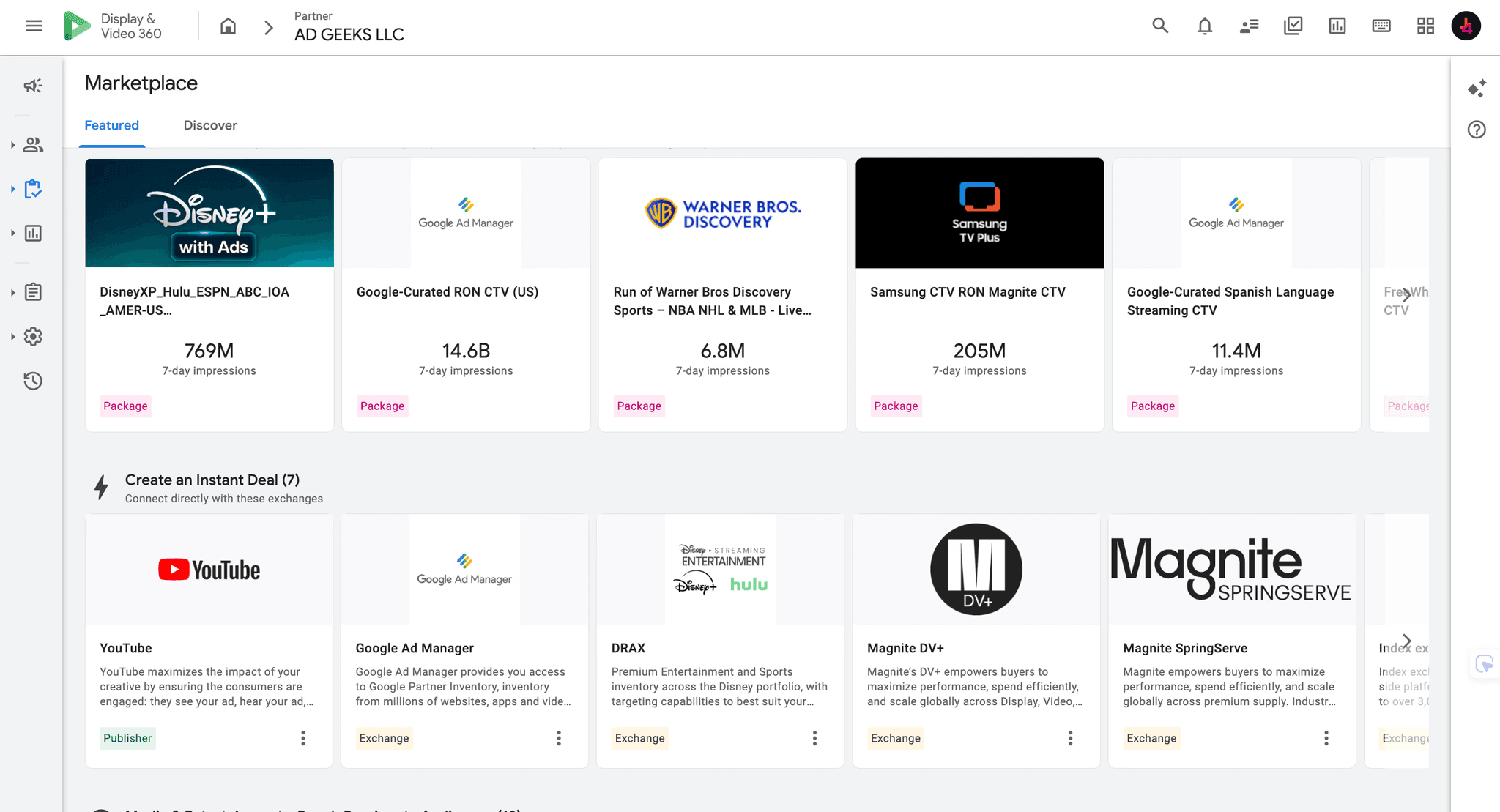
Google maintains dedicated documentation for Connected TV, audio, Marketplace and other inventory workflows.
Sources:
Availability is not identical across every market, account or inventory source.
Confirm the actual campaign requirement rather than selecting DV360 only because it supports more channels.
If CTV is central to your plan, see AdGeeks’ Connected TV advertising solution.
For a platform-level comparison, read DV360 vs Google Ads.
Does DV360 require a minimum spend?
Google does not publish one universal public minimum that applies to every DV360 access arrangement.
Commercial commitments can depend on:
the direct or Partner relationship;
contract;
service scope;
campaign;
market;
publisher;
deal;
inventory type.
So when a provider quotes a threshold, ask:
“Who sets this minimum?”
Do not assume it is a universal Google rule.
For a full breakdown of platform, access, management and minimum-spend concepts, use the DV360 Pricing and Access Cost Guide.
This page intentionally focuses on how to get and evaluate access, rather than duplicating the full pricing analysis.
How to get DV360 access in five steps
Step 1: Define the media requirement
List:
markets;
required channels;
inventory;
campaign objectives;
expected spend;
measurement requirements.
If standard Google Ads is enough for the media objective, adding DV360 may create unnecessary operating complexity.
Step 2: Decide who will operate campaigns
Choose:
direct enterprise;
Partner/self-service;
managed;
hybrid.
Assign responsibility for setup, trading, optimization, reporting and troubleshooting.
Step 3: Validate the account and permissions model
Request:
Partner name;
Advertiser structure;
user-role map;
reporting access;
cost visibility;
billing arrangement.
Get this in writing.
Step 4: Compare the complete commercial model
Separate:
media;
platform/access;
management;
data;
verification;
creative;
measurement.
Identify who sets each minimum or commitment.
Step 5: Complete onboarding before launch
Test access before media starts.
Confirm:
user permissions;
support contact;
reporting access;
billing workflow;
campaign architecture;
QA process.
If your own team will trade directly, use the Step-by-Step DV360 Campaign Setup Guide.
Getting DV360 access through AdGeeks
AdGeeks offers Partner-based DV360 access options for agencies and brands.
Depending on the agreed operating model, support can include:
an identified DV360 Advertiser setup;
direct user access with agreed roles;
technical onboarding;
campaign-architecture guidance;
trading and troubleshooting support;
managed or hybrid campaign operations.
Commercial terms can vary by access model and campaign requirement.
Ask for a written proposal that separates:
media;
platform/access;
management;
data;
verification;
inventory-specific requirements.
To evaluate fit, provide:
target markets;
required channels and inventory;
campaign objectives;
expected media budget;
desired access model;
internal programmatic experience;
onboarding requirements;
support requirements.
Frequently Asked Questions
How do I get a DV360 account?
You can speak with Google about a direct account relationship or work with an organization operating a DV360 Partner structure. Confirm the Partner, Advertiser, user roles, fees, operating responsibilities and exit terms before signing.
Can I sign up for DV360 like Google Ads?
Not through the same instant public signup flow. Google directs organizations seeking a new DV360 account to its sales team, while its account documentation uses Partner and Advertiser structures.
What is a DV360 Partner?
A Partner is the higher-level DV360 organizational account under which Advertisers can sit. Google describes Partners as organizations such as agencies, trading desks or large individual advertisers.
What does “DV360 Partner name” mean?
It is the name of the Partner-level organization or account above the Advertiser. Ask for it so you know who controls Partner-level administration and provisioning.
Can a small agency get DV360 access?
Potentially. A smaller agency can work through an existing Partner arrangement rather than establishing a direct enterprise relationship. Eligibility and commercial terms depend on the provider.
Can my team manage campaigns directly?
Yes, when the access agreement and assigned DV360 roles allow it. Confirm the exact role and test the required actions before launch.
Do I need a managed DV360 service?
Not necessarily. Experienced programmatic teams may prefer self-service access. Teams without specialist traders may prefer managed or hybrid operations.
Is there a universal DV360 minimum spend?
Google does not publish one universal public minimum that applies to every access arrangement. Ask whether a quoted threshold comes from the Partner, service agreement, campaign, publisher or inventory product.
Does AdGeeks require a fixed monthly spend minimum?
Commercial terms can change and may vary by access model. Confirm current minimums and fees in the written proposal for the specific campaign.
Can I change DV360 providers later?
Potentially, but do not assume the Advertiser itself or every asset can be transferred. Put access termination, exports, data retention, asset handling and transition support in the agreement before launch.
What should I ask a DV360 access provider before signing?
At minimum, ask for the Partner name, Advertiser structure, exact user roles, campaign-management responsibilities, all-in fees, reporting access, billing model, support process and exit terms.